
skip to main | skip to sidebar

Adsense Tips

adsensegrup.blogspot.com

Tips and Tricks Google Adsense

  • AdSense untuk penelusuran - penelusuran ubahsuaian di situs Anda
  • Apakah warna palet yang paling berhasil
  • Blogtimize - Optimalkan iklan pada blog Anda
  • Daftar isi
  • Di manakah iklan Google harus ditempatkan pada halaman saya?
  • Format iklan apakah yang harus saya gunakan?
  • Gust book
  • Iklan gambar akan meningkatkan keragaman dan persaingan
  • Link Exchange
  • Maksimalkan keberhasilan Anda dengan produk Google lainnya
  • Maksimalkan ruang iklan dengan beberapa unit iklan
  • Membuat AdSense sesuai dengan situs forum Anda
  • Membuat template laporan untuk menyederhanakan dan menghemat waktu
  • Panduan Penyaring Iklan Kompetitif.
  • Pastikan daftar penyaring Anda sedikit
  • Penargetan bagian
  • Uji keberhasilan Anda dengan saluran
  • Unit link membantu Anda memanfaatkan ruang terbatas secara maksimal.
  • What is section targeting and how do I implement it?

Kamis, 23 Januari 2014

[Inside AdSense] Grow your business with Google Analytics 1 of 5

One key piece of growing your site is understanding your users and their interaction on your pages. Google Analytics is a powerful tool that can help you uncover these insights by giving you a complete picture of your audience and their needs.
To help you build a loyal and engaged audience, we're rolling out a blog series focused on helping AdSense publishers like you pull key insights out of your Analytics reports.

This week, we'll focus on getting started with Analytics. Next we'll share tips on how to learn more about your mobile users. Then we'll move on to more advanced topics like engagement and loyalty analysis to help you improve your content strategy. Check out the following steps to get started.

1. Link your AdSense and Analytics accounts for richer insights

The first step is to link your AdSense account to a new or existing Analytics account. From here, you're on your way to accessing new information that can help you identify opportunities to monetize your content more effectively. Keep in mind that you can only link one AdSense account to one Analytics account, and that the AdSense login must be an 'Administrator' on the Analytics account.
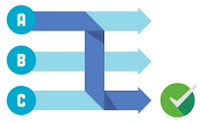

2. Set your site goals and conduct experiments to improve them

Think about what you want users to do on your site. Once you know these intended actions, you can map them to goals and conversion actions in Analytics to track how your site is performing. A goal is either a visit to a specific page of your site, or a specific action completed on your site. Once you've devised your goals, you can use Experiments to test how well different versions of your pages work in getting your visitors to accomplish these goals. For example, growing your AdSense revenue can be set up as a Content Experiment Goal. 


3. Create custom dashboards / reports for quick access to insights

The next thing you'll want to do is to start accessing the broad range of insights that Analytics offers. Analytics dashboards provide a performance overview by displaying summaries of different reports on a single page. Custom reports allow you to customize the dimensions  (City and Browser, for example) and metrics (Visits, Pageviews, and Bounce Rate, for example) in a report to gain insights into your user visits and behavior. To help you get started with your AdSense data in Analytics and show you some relevant information at a glance, we've created this easy-to-use dashboard. Select one of your profiles to import, and you'll be able to quickly see and customize the reports which matter most to you. You can access this dashboard any time by clicking 'Dashboards' under the Reporting tab in your Analytics account. You can also visit the Solutions Gallery to download ready-to-use custom dashboards and reports that will be most helpful for your site. Alternatively you can create/edit your own dashboards and reports.

Once you've completed these three steps, we also encourage you to opt in to the Account specialist data sharing setting and our customized help and performance suggestion emails in your AdSense email preferences. You'll be eligible for targeted optimization tips from our marketing and sales specialists.

If you have any questions about the topics covered in this blog post, share them with us by filling out this form. At the end of this series, we'll record a video with answers to the most frequently asked questions and share it on Google+ on February 26th. See you back here next Wednesday when we'll take a closer look at how you can optimize your mobile presence with Google Analytics.

Posted by Cemal Buyukgokcesu - Google Analytics Specialist
Was this blog post useful? Share your feedback with us.

--
--
Unable to view the links or images in the message above? Want to comment on this post? Visit http://adsense.blogspot.com/ .
 
You received this message because you are subscribed to the Google Groups "Inside AdSense" group.
To unsubscribe from this group, send email to Inside-AdSense+unsubscribe@googlegroups.com
For more options, visit this group at http://groups.google.com/group/Inside-AdSense
 
---
You received this message because you are subscribed to the Google Groups "Inside AdSense" group.
To unsubscribe from this group and stop receiving emails from it, send an email to inside-adsense+unsubscribe@googlegroups.com.
For more options, visit https://groups.google.com/groups/opt_out.
Diposting oleh Adsense Tips di 09.24 0 komentar

Selasa, 21 Januari 2014

[Inside AdSense] Introducing AdSense Direct - a simple way to manage your direct sales

We're happy to introduce AdSense Direct, a new feature for publishers getting started with their first directly sold ad deals. You can easily manage directly sold ads from within your AdSense account, and show them on your pages without needing to make any changes to your site's code. AdSense Direct is currently available to publishers and advertisers located in the U.S., and we hope to expand further in the coming months.

To use AdSense Direct, you'll first need to arrange a direct deal with an advertiser -- this can be any advertiser, regardless of whether or not they're using AdWords. Once you've both agreed on the terms of the deal, enter the details into your AdSense account. You'll get a link to send to the advertiser, where they can upload their ad and pay for the deal with Google Wallet. Once you approve the ad creative, the campaign will be ready to launch at the time period specified. Check out this video for more information: http://www.youtube.com/watch?v=mUEzAozB5gw&feature=youtu.be.

Managing your directly sold ads through AdSense Direct can help you:

  • Maximize revenue: You'll never miss an opportunity to earn revenue as your ad space will automatically revert back to showing AdSense ads as soon as a direct deal ends.
  • Save time: There's no need to create contracts for every direct deal, as both parties contract with Google. Invoicing and payments are also handled automatically; your earnings from these deals will be included in your monthly AdSense payments cycle.
  • Control your brand: You and Google review all creatives submitted by advertisers before they run on your site.

Just getting started with direct ad deals? We suggest adding an 'Advertise here' form or link to your page that will enable interested advertisers to get in touch with you. Once you've secured an ad deal, you can set up the campaign in a few short steps.

If you've already expanded to running multiple direct ad deals and ad networks on your pages alongside AdSense, try our ad serving solution <link>DoubleClick for Publishers (DFP).   

We look forward to hearing your feedback on AdSense Direct as we continue to refine this feature. Please share your comments and feedback over on our AdSense +page. 

Posted by Matt Goodridge - AdSense Product Manager

Was this blog post useful? Share your feedback with us.

--
--
Unable to view the links or images in the message above? Want to comment on this post? Visit http://adsense.blogspot.com/ .
 
You received this message because you are subscribed to the Google Groups "Inside AdSense" group.
To unsubscribe from this group, send email to Inside-AdSense+unsubscribe@googlegroups.com
For more options, visit this group at http://groups.google.com/group/Inside-AdSense
 
---
You received this message because you are subscribed to the Google Groups "Inside AdSense" group.
To unsubscribe from this group and stop receiving emails from it, send an email to inside-adsense+unsubscribe@googlegroups.com.
For more options, visit https://groups.google.com/groups/opt_out.
Diposting oleh Adsense Tips di 11.06 0 komentar

20(14) Publisher Stories: Lbo.lk capitalize on Google Analytics insights to grow revenue

As part of our '20(14) publisher stories' blog series, every Monday we'll introduce you to a publisher and share their success story. Read on to meet this week's featured publisher, and feel free to share your own success story with us.


Lbo.lk is a Sri Lankan English-language business and economy portal providing news and analysis to a worldwide audience since 2000. "LBO educates the business community, policy makers and general public on the implications of the monetary and fiscal policy and economic challenges," says Lakshaman Bandaranayake who founded LBO (Lanka Business Online). 


"A strong relationship with Google is key to achieving our growth strategy," says Lakshaman. With the goal to accelerate AdSense performance and invigorate revenue growth across channels, Lbo.lk collaborated with Google to optimize their web design. 


By making some simple changes, Lbo.lk were able to increase their revenue and user engagement. These changes included using the In-Page Analytics report from Google Analytics to inform site layout decisions. They also replaced low-performing ad units with global standard ad formats to cater for their global audience. 


In the 14 weeks following the redesign, page views increased 3.4X and clicks increased 2X. Placing globally popular ad formats in optimal locations also helped LBO scalably earn from their channels, with AdSense earnings growing 2.5X.


Building on the success of these initial changes, LBO has set new business goals for the coming year, and these include more substantial site modifications. With the additional revenue earned, LBO also plans to expand its editorial staff. Lakshaman concludes "If we didn't use AdSense, we would be losing out on revenue".


Read the full story here.


Posted by Catherine Candano - Inside AdSense Team


--
--
Unable to view the links or images in the message above? Want to comment on this post? Visit http://adsense.blogspot.com/ .
 
You received this message because you are subscribed to the Google Groups "Inside AdSense" group.
To unsubscribe from this group, send email to Inside-AdSense+unsubscribe@googlegroups.com
For more options, visit this group at http://groups.google.com/group/Inside-AdSense
 
---
You received this message because you are subscribed to the Google Groups "Inside AdSense" group.
To unsubscribe from this group and stop receiving emails from it, send an email to inside-adsense+unsubscribe@googlegroups.com.
For more options, visit https://groups.google.com/groups/opt_out.
Diposting oleh Adsense Tips di 01.53 0 komentar

Kamis, 16 Januari 2014

Introducing the new policy FAQs, now available in the AdSense Help Center

As part of our ongoing efforts to increase transparency around our policies, we've recently launched a policy FAQs section in our Help Center to address some of the commonly asked questions that we receive from our publishers.

Some example questions in this new section include:

Part 1: Site content
Would an image of a girl in a bikini be considered adult content?

Part 2: Ad implementation
When blending ads to match in with my site, how do I make sure that the ads don't mimic the format of the content without having gaudy ads?

Part 3: Mobile-related
Is placing a 300 x 250 ad unit on top of a high-end mobile optimized page considered a policy violation?

Part 4: Appeals and violation reporting
My account got disabled and my appeal was denied. Is there any way I can start over?

Our AdSense policies are in place to ensure that Google's display and search networks provide a safe and positive experience for our users, advertisers, and publishers.  We hope that you find these new FAQs helpful and we thank you for helping us maintain a compliant network.

Posted by Eri Shikamura - Inside AdSense Team
Was this blog post useful? Share your feedback with us.

--
--
Unable to view the links or images in the message above? Want to comment on this post? Visit http://adsense.blogspot.com/ .
 
You received this message because you are subscribed to the Google Groups "Inside AdSense" group.
To unsubscribe from this group, send email to Inside-AdSense+unsubscribe@googlegroups.com
For more options, visit this group at http://groups.google.com/group/Inside-AdSense
 
---
You received this message because you are subscribed to the Google Groups "Inside AdSense" group.
To unsubscribe from this group and stop receiving emails from it, send an email to inside-adsense+unsubscribe@googlegroups.com.
For more options, visit https://groups.google.com/groups/opt_out.
Diposting oleh Adsense Tips di 10.20 0 komentar

Senin, 13 Januari 2014

20(14) Publisher Stories: Doodle’s success on schedule

January is typically a time for new year's resolutions and setting yourself up right for the year ahead. The same often applies to your websites, too. As we know many of you are thinking about what you want to achieve with your site in 2014, we're kicking off a new success story series here on the blog. 

Every week, we'll meet a publisher from around the world who has grown their business with Google. Take inspiration from their stories, learn about how they've successfully integrated Google tools into their strategies, and hear about their plans for the future. Every week for the next 14 weeks, we'll meet a new publisher. So let's get started and meet Malte Schiebelmann from Doodle.com.

As the largest scheduling service in the world, Doodle is a free service that helps people manage their time. The company started in 2007 and today it has over 15 million monthly users. 

Doodle started working with Google early on, using AdSense and then DoubleClick Ad Exchange to monetize their service and grow their business. Malte tells us that their partnership with Google has been "essential in helping Doodle increase revenue". Since then, they've continued to partner with Google, regularly using other products like DoubleClick for Publishers (DFP) along the way. 

http://www.youtube.com/watch?v=h4d_hokvC2g

According to Malte, aside from the monetization opportunities they bring, Google products are "low maintenance and easy to use". They give him lots of handy features to help him make decisions on changes to the site. Looking to the future, he's looking forward to helping many more users save precious time, all the while continuing to partner with Google.

Have a Google success story you'd like to share? Tell us about it. 

Posted by Suzy Headon - Inside AdSense Team
Was this blog post useful? Share your feedback with us.

--
--
Unable to view the links or images in the message above? Want to comment on this post? Visit http://adsense.blogspot.com/ .
 
You received this message because you are subscribed to the Google Groups "Inside AdSense" group.
To unsubscribe from this group, send email to Inside-AdSense+unsubscribe@googlegroups.com
For more options, visit this group at http://groups.google.com/group/Inside-AdSense
 
---
You received this message because you are subscribed to the Google Groups "Inside AdSense" group.
To unsubscribe from this group and stop receiving emails from it, send an email to inside-adsense+unsubscribe@googlegroups.com.
For more options, visit https://groups.google.com/groups/opt_out.
Diposting oleh Adsense Tips di 09.03 0 komentar

Jumat, 20 Desember 2013

So long 2013 - looking back at this year’s highlights.

We're fast approaching the end of another year and it's time to take a look back over the last 12 months. Here's some of our 2013 highlights:  

  • We can't talk about 2013 without remembering that AdSense turned 10 in June. To celebrate 10 years of partnerships with publishers, we took a look back and heard from some of you who have been with us since the very beginning. Over 12,000 of you also joined in by taking part in the AdSense 10 Challenge.
  • We looked at ways to drive a positive experience for your users, giving our text ads a more modern and user-friendly design and announcing the launch of our brand new mobile anchor ads. 
  • We launched a number of new ad formats, giving you more flexibility and supporting your multi-screen strategy. In fact, we spent a lot of time talking about your multi-screen strategy, with our recent multi-device series and our just launched multi-screen optimization score in your scorecard.
  • We were lucky enough to meet many of you at our events and hear about some of your experiences with Google as well as your future plans. Take a look at what some of our European publishers had to say.
  • Lots of you gave really valuable feedback on changes and new features you'd like to see in your account - with this in mind, we introduced time zone reporting, currency reporting, and launched our new AdSense homepage.
  • You told us that more communication on our AdSense program policies would be really helpful so we launched a new notifications feature in your account, and many of you also joined our Policy Refreshers Hangout On Air series. Coincidentally, our Policy Refreshers announcement was the most visited blog post of 2013.
  • Lastly, we gave the Inside AdSense blog a bit of a makeover with a new, cleaner interface - we hope you like it!

We'd like to thank each of you for your continuous feedback and engagement over the past year. Please keep sharing your comments and suggestions through our AdSense +page. We'll be back in January - stay tuned for lots more AdSense updates plus a series on Google Analytics and an inspiring showcase of publisher success stories from around the world.

Happy Holidays from all of us here at Google AdSense! 

Posted by Suzy Headon-on behalf of the Inside AdSense Team

--
--
Unable to view the links or images in the message above? Want to comment on this post? Visit http://adsense.blogspot.com/ .
 
You received this message because you are subscribed to the Google Groups "Inside AdSense" group.
To unsubscribe from this group, send email to Inside-AdSense+unsubscribe@googlegroups.com
For more options, visit this group at http://groups.google.com/group/Inside-AdSense
 
---
You received this message because you are subscribed to the Google Groups "Inside AdSense" group.
To unsubscribe from this group and stop receiving emails from it, send an email to inside-adsense+unsubscribe@googlegroups.com.
For more options, visit https://groups.google.com/groups/opt_out.
Diposting oleh Adsense Tips di 10.56 0 komentar

Jumat, 13 Desember 2013

[Inside AdSense] Boost your multi-screen strategy with our new tools.

We've been talking a lot recently about why you should have a multi-screen strategy in place for your site. Today we're happy to share some product updates to complement and strengthen your strategy, with new features for our responsive ad units and a multi-screen optimization score now available in your publisher scorecard.

New features for responsive ad units

Earlier this year, we launched responsive ad units to help you enhance the user experience on your site across devices. You've shared a lot of positive feedback on our responsive ad units and also made some great suggestions on new features you'd like to see. We've incorporated these suggestions into our next iteration of responsive ads with the following changes: 

  • Ad refresh for screen orientation changes:  If your responsive page changes its layout following a screen orientation change (e.g., when a tablet or phone goes from portrait to landscape), we'll request and load a new ad to fit the new page layout.
  • Smart sizing based on the space available:  Our ad code will now automatically adapt all newly created responsive ad units to fit your page layout. All existing responsive ad units that have their width and height explicitly specified via CSS will continue to function as before. Please see our Help Center for information on switching to the smart sizing mode.
  • Reporting by ad size served: To better understand the mix of ad sizes served by your responsive ad units, your ad unit reports can now be broken out by the size of the ad served. 

More information on responsive ad units can be found in our Help Center.

Multi-screen optimization score in publisher scorecard

To help you understand how well your site is optimized for the many screen sizes of your users, we're introducing a new multi-screen category in our publisher scorecard. For example, if users need to zoom and/or scroll often, this may negatively impact their experience. Your score in the multi-screen category will measure what percentage of your pages are multi-screen optimized and compare this percentage to that of other AdSense publishers. Please note that you may not see this category in your scorecard if you have a low percentage of mobile traffic on your site.

This new score will be visible in the scorecard on your AdSense home page. Don't forget to follow the 'Learn more' link displayed in the scorecard to learn how you can optimize your site for multiple screen sizes. More information on your scorecard can be found in our Help Center.

We look forward to hearing your thoughts on these new features. Feel free to share your feedback on our AdSense +page.

Posted by Nick Radicevic - AdSense Product Manager

Was this blog post useful? Share your feedback with us

--
--
Unable to view the links or images in the message above? Want to comment on this post? Visit http://adsense.blogspot.com/ .
 
You received this message because you are subscribed to the Google Groups "Inside AdSense" group.
To unsubscribe from this group, send email to Inside-AdSense+unsubscribe@googlegroups.com
For more options, visit this group at http://groups.google.com/group/Inside-AdSense
 
---
You received this message because you are subscribed to the Google Groups "Inside AdSense" group.
To unsubscribe from this group and stop receiving emails from it, send an email to inside-adsense+unsubscribe@googlegroups.com.
For more options, visit https://groups.google.com/groups/opt_out.
Diposting oleh Adsense Tips di 09.37 0 komentar

Kamis, 12 Desember 2013

[Inside AdSense] Google Publisher Toolbar, now integrated with DFP Small Business

Many of you are already using the Google Publisher Toolbar to view your AdSense performance and control your ads. If you also use DoubleClick for Publishers (DFP) Small Business, we're pleased to let you know that your DFP account can now also be directly integrated with the Google Publisher Toolbar.

The Toolbar is a Chrome extension that gives you a clear overview of which ads are serving on your site and why, through an overlay for each ad showing which line item and creative was served. You can get more information by clicking on any overlay. When you sign in to the Toolbar, you'll see complete information on each ad -- regardless of whether AdSense or DFP served the ad.

Please visit our Toolbar Help Center article for further information and support. 

Download the Toolbar and start using it with DFP Small Business today. We're continuing to improve support for DFP in the Toolbar, and are always happy to hear your feedback.

Posted by Ilia Malkovitch - DFP Product Manager

Was this blog post useful? Share your feedback with us

--
--
Unable to view the links or images in the message above? Want to comment on this post? Visit http://adsense.blogspot.com/ .
 
You received this message because you are subscribed to the Google Groups "Inside AdSense" group.
To unsubscribe from this group, send email to Inside-AdSense+unsubscribe@googlegroups.com
For more options, visit this group at http://groups.google.com/group/Inside-AdSense
 
---
You received this message because you are subscribed to the Google Groups "Inside AdSense" group.
To unsubscribe from this group and stop receiving emails from it, send an email to inside-adsense+unsubscribe@googlegroups.com.
For more options, visit https://groups.google.com/groups/opt_out.
Diposting oleh Adsense Tips di 09.40 0 komentar

Rabu, 11 Desember 2013

[Inside AdSense] The next evolution of responsive ads - custom ad sizes

Today, we're happy to announce the launch of 434,216 new ad unit sizes! Or in other words, we've just made it possible to create custom ad sizes to give you more flexibility and enable you to better design your content for your users. 


Custom sized ads behave just like their standard size counterparts, showing a text or display ad depending on which is likely to have the best performance for the impression. 


Text ads


For text ads, we'll determine the optimal number of text ads to display for a given impression, and show the ads the same way they appear inside standard sizes. Our system predicts the value of each competing ad for every impression, based on historic performance and comparison across a variety of scenarios. For unique ad unit sizes, our system will need some time before it can optimize the number of ads shown. Please see our blog post Understanding the dynamics of the AdSense auction - Part II for more information. Here are three examples of custom-sized ad units displaying text ads:

Display ads


For display ads, our system will determine the appropriate size ad to fit into the space you select; the selected ad will not be larger than the space requested. In the example below, we've shown the same three custom sizes as above, but this time with display ads. Please note that the dotted border is only present to show the total size of the ad unit, but won't actually appear on your pages.

To ensure that ads continue to deliver a positive user experience, we've put a few restrictions in place around maximum and minimum pixels for ad sizes. Any custom ad size that falls outside of the restrictions won't appear on a page. As always, all of your ads must adhere to the AdSense ad placement policies. Remember that users value your content, and that they appreciate a balance of content and ads, knowing that the ads support the content creator. Forcing too many ads into the users viewable screen is not likely to tempt them back to your site.


Ready to get started with custom ad sizes? Create an ad unit in the usual way, select "Custom ad size" from the Ad size drop-down and set the desired width and height for your ad unit in the process. Copy and paste the ad code into the HTML source code of your page where you'd like the ad to appear.


You can also find more information in our Help Center. We're excited about the possibilities of these new custom ad sizes, and appreciate your ongoing feedback as we continue to improve this offering. Please feel free to share your thoughts and suggestions about this update. 


Posted by Omer Gimenez Llach - AdSense Software Engineer &amp; Johan Land - AdSense Product Manager

Was this blog post useful? Share your feedback with us


--
--
Unable to view the links or images in the message above? Want to comment on this post? Visit http://adsense.blogspot.com/ .
 
You received this message because you are subscribed to the Google Groups "Inside AdSense" group.
To unsubscribe from this group, send email to Inside-AdSense+unsubscribe@googlegroups.com
For more options, visit this group at http://groups.google.com/group/Inside-AdSense
 
---
You received this message because you are subscribed to the Google Groups "Inside AdSense" group.
To unsubscribe from this group and stop receiving emails from it, send an email to inside-adsense+unsubscribe@googlegroups.com.
For more options, visit https://groups.google.com/groups/opt_out.
Diposting oleh Adsense Tips di 10.27 0 komentar

Selasa, 26 November 2013

[Inside AdSense] Improving the user experience with new mobile anchor ads

Over the past few months, we've regularly talked about the growing number of users accessing publisher content via mobile devices, and the importance of creating a positive user experience across all devices. In this same spirit, we're happy to let you know about mobile anchor ads for smartphones, a new feature we're starting to make available that's focused on giving users a better experience with ads on mobile devices. 

Mobile anchor ads work by allowing a 320x50 banner ad unit to be anchored to the bottom of the smartphone screen, staying there when your users scroll up or down the page. At the same time, users remain in control -- they can dismiss an ad when they find it's not relevant or want to free up the screen space, simply by swiping the ad left or right. When this happens, the anchor ad will fade and be dismissed and no other anchor ad will display unless the user reloads or visits another page.

The mobile anchor ads experience reflects our continued focus on providing users with control. As we've seen from our TrueView video ads and Mute this ad feature, users prefer having choice and control when it comes to viewing ads. In addition, the prominence of mobile anchor ads will give advertisers enhanced visibility while helping improve performance for you, and also remove the need to overload your mobile pages with ads. 

We've started enabling this feature for a select group of publishers today, and will gradually roll it out to everyone over the coming months. 

Thanks for all of the feedback you've provided to date on adapting to the multi-screen environment. Please do continue to share your suggestions so we can keep improving AdSense for you. Watch this space for more news and updates in the near future!


Posted by Pasha Nahass - AdSense Product Manager
Was this blog post useful? Share your feedback with us.


--
Posted By Inside AdSense Team to Inside AdSense at 11/26/2013 12:16:00 PM

--
--
Unable to view the links or images in the message above? Want to comment on this post? Visit http://adsense.blogspot.com/ .
 
You received this message because you are subscribed to the Google Groups "Inside AdSense" group.
To unsubscribe from this group, send email to Inside-AdSense+unsubscribe@googlegroups.com
For more options, visit this group at http://groups.google.com/group/Inside-AdSense
 
---
You received this message because you are subscribed to the Google Groups "Inside AdSense" group.
To unsubscribe from this group and stop receiving emails from it, send an email to inside-adsense+unsubscribe@googlegroups.com.
For more options, visit https://groups.google.com/groups/opt_out.
Diposting oleh Adsense Tips di 12.16 0 komentar

Jumat, 22 November 2013

[Inside AdSense] Got an app? Increase revenue by building a website too

At some point most app developers will be faced with the question: 'What's the best way to monetize my app?'. There are many business models, but many don't think about the additional opportunities to earn revenue from content they've already created. Izumi Artisan is a Japanese developer who's been successful in earning money from his app, then using the content to create a website to earn additional income. We will explore his strategy in this post.

------------------------------------------------------------
[Goal]
  • Maximize revenue from the web
  • Improve user experience
  • Expand business overseas
[Approach]
  • Monetize both website and app
  • Create an environment where the users can help each other to finish the game
[Results]
  • 40% of the total revenue came from the website 
  •  Improved profitability and usability with low overhead
------------------------------------------------------------

'Old Offender was the very first app that we made'

At the time of building our first app, my brother and I didn't have engineering skills. So I went to a local book store and bought "Java for the First Time", and taught myself how to make a mobile app. I chose to make escape games because the programming needed to build one was relatively simple. Also, there were not many other similar apps for smartphones in that category. So we worked together and published 'Old Offender: Escape from Prison' as our first gaming app.

'Ads are better than a paid business model'

When considering the monetization method, we chose ads. At that time, paid apps were not that popular in Japan. Now, we're using multiple ad networks using a mediation tool, and for foreign countries we're only using AdMob.

'We saw a 60% revenue increase by using Google AdSense'

After we launched the app we had feedback from users asking for hint-and-tips, so I immediately decided to take action. We chose to make a bulletin board website where users can interact with each other to find the answer to a challenge in the game. My brother designed the website and had it ready within a week. We also signed up for Google Adsense to post ads on the website. Signing up and implementing AdSense did not take more than 2 days and we were able to stat monetize our website with the least resource but high impact. Furthermore, we saw a 60% revenue increase by using Google AdSense and the web business is now 40% of the sales of the company.

Posted by Yuya Sumida - Account Manager
Was this blog post useful? Share your feedback with us.


--
Posted By Inside AdSense Team to Inside AdSense at 11/22/2013 10:34:00 AM

--
--
Unable to view the links or images in the message above? Want to comment on this post? Visit http://adsense.blogspot.com/ .
 
You received this message because you are subscribed to the Google Groups "Inside AdSense" group.
To unsubscribe from this group, send email to Inside-AdSense+unsubscribe@googlegroups.com
For more options, visit this group at http://groups.google.com/group/Inside-AdSense
 
---
You received this message because you are subscribed to the Google Groups "Inside AdSense" group.
To unsubscribe from this group and stop receiving emails from it, send an email to inside-adsense+unsubscribe@googlegroups.com.
For more options, visit https://groups.google.com/groups/opt_out.
Diposting oleh Adsense Tips di 10.34 0 komentar

Rabu, 20 November 2013

[Inside AdSense] Get the right insights quickly with the new AdSense homepage

As the first thing you see when you log into your AdSense account, your homepage is an important source of information on how your site is performing. We know it's essential that this page gives you access to the most relevant and actionable information possible. With this in mind, we've been gathering and closely analyzing your feedback; today, we're happy to share our newly-designed homepage and invite you to give it a try!

Some publishers have let us know that they want more insights from Google on ways to increase revenue, while others who log in to their accounts throughout the day want to be able to quickly access the right performance data. The new homepage has been designed to give you easier access to our recommendations and insights, not only to increase your monetization but also improve the user experience on your site. At the same time, it emphasizes the key information you need to know and any immediate actions to take.

Here are some of the main enhancements you can expect to see:
  • The new Insights stream on the right-hand side of the page provides personalized recommendations for your account, such as monetization opportunities and tips to enhance user experience, which can be put into action in just a few clicks.
  • Your key account stats for today are quick and easy to view and now provide comparison data such as earnings so far this month versus the same period last month.
  • The new Performance Today section gives you quick access to more detailed information like your countries and platforms reports, without requiring additional clicks.
  • Your Scorecard will continue to be prominent on your homepage, providing quick benchmarking information on how your site is performing relative to the sites of other AdSense publishers.

Try out the new homepage directly from your account. You'll still be able to revert back to your old homepage layout if needed. We encourage you to share your feedback on these updates with us so we can continue to improve the homepage for you. Head over to our AdSense +page to let us know if you've enabled the new homepage, and stay tuned for additional account improvements we're working to develop. 


Posted by Matt Goodridge - AdSense Product Manager
Was this blog post useful? Share your feedback with us.


--
Posted By Inside AdSense Team to Inside AdSense at 11/20/2013 09:17:00 AM

--
--
Unable to view the links or images in the message above? Want to comment on this post? Visit http://adsense.blogspot.com/ .
 
You received this message because you are subscribed to the Google Groups "Inside AdSense" group.
To unsubscribe from this group, send email to Inside-AdSense+unsubscribe@googlegroups.com
For more options, visit this group at http://groups.google.com/group/Inside-AdSense
 
---
You received this message because you are subscribed to the Google Groups "Inside AdSense" group.
To unsubscribe from this group and stop receiving emails from it, send an email to inside-adsense+unsubscribe@googlegroups.com.
For more options, visit https://groups.google.com/groups/opt_out.

Diposting oleh Adsense Tips di 09.17 0 komentar

Selasa, 19 November 2013

[Inside AdSense] Tune in to our Hangouts On Air on going multi-screen

We've recently been sharing a lot of information about how user behavior is changing in our multi-screen world, and the importance of having a multi-device strategy. To continue the conversation and help you find the right multi-screen strategy for your site, our team based in Asia-Pacific will be hosting three online Learn with Google Hangouts On Air. 

During these sessions, we'll also take a look at some of the most common questions around implementing a multi-device strategy, share some examples, and provide tips on how to get started. 

See below for more information about these sessions and how to RSVP.

Introductory: Go Multi-Screen - Principles & Recommendations 
Date: 26th November  Time: 14:00 - 15:00 SGT (GMT +8)**

  • Gain insights into the most common mobile consumer behaviour and learn about the most common approaches to building a mobile solution. 
  • Hear insights on user experience, content optimization, and page speed. 
  • Recommended for all publishers. 

Advanced I. Responsive Design: What, Why & How
Date: 28th November   Time: 14:00 - 15:00 SGT (GMT +8)**

  • Hands-on session to learn more about going responsive.
  • Followed by a Q&A session and best-practice sharing with the AdSense Team.
  • Recommended for those who are considering designing a responsive website.

Advanced II. Building a Great App
Date: 5th December   Time: 14:00 - 15:00 SGT (GMT +8)**

  • Building an app can be an alternative to building a mobile solution or can be created as part of your multi-device strategy. Learn why and how to build a great app for your content. 
  • Find out how to promote and monetize your apps.
  • Recommended for those who have built or are considering building a mobile app.
Interested in live streaming the Hangouts On Air?
Click here to RSVP

** Can't watch the sessions live? Don't worry, a recording of each Hangout On Air will be added to the event pages shortly after the live broadcast so you can watch the material when it's most convenient for you. 


Posted by Fouad Howayek - Inside AdSense Team 
Was this blog post useful? Share your feedback with us.


--
Posted By Inside AdSense Team to Inside AdSense at 11/19/2013 09:45:00 AM

--
--
Unable to view the links or images in the message above? Want to comment on this post? Visit http://adsense.blogspot.com/ .
 
You received this message because you are subscribed to the Google Groups "Inside AdSense" group.
To unsubscribe from this group, send email to Inside-AdSense+unsubscribe@googlegroups.com
For more options, visit this group at http://groups.google.com/group/Inside-AdSense
 
---
You received this message because you are subscribed to the Google Groups "Inside AdSense" group.
To unsubscribe from this group and stop receiving emails from it, send an email to inside-adsense+unsubscribe@googlegroups.com.
For more options, visit https://groups.google.com/groups/opt_out.
Diposting oleh Adsense Tips di 09.45 0 komentar

Senin, 18 November 2013

[Inside AdSense] Make the most of the holiday season - tune in to our e-commerce Hangout On Air

As one of the busiest times for e-commerce publishers approaches, make sure you're ready to optimize for a holiday bump in traffic. There's a couple of critical key factors to consider. First, is your site as user-friendly as it could be? Your site should provide a great experience for your users across their devices — this will help you maintain relationships with your returning visitors and engage new ones.

Another important area to look at is whether you have a complete monetization strategy in place. On average only 1-5% of traffic on an e-commerce site will convert to a sale, so it's important to know what options are available to monetize the visits that don't convert.

Tune in to our e-commerce Hangout On Air on Tuesday, November 26th, where we'll talk through some of the steps you can take to ensure your site is well set up to capture the seasonal opportunity. We'll also answer a few of your questions, which you can submit when you RSVP to watch the live stream. During this session, we'll cover the following topics:

  • Principles of user experience for e-commerce publishers
  • The importance of a user-friendly mobile site
  • How to maximize your non-conversion revenue with advertising solutions

Click here to RSVP

Register to watch the Hangout On Air today and don't forget to check out the AdSense +page for the latest updates.

Posted by Anntao Diaz - Inside AdSense Team
Was this blog post useful? Share your feedback with us.


--
Posted By Inside AdSense Team to Inside AdSense at 11/18/2013 04:17:00 PM

--
--
Unable to view the links or images in the message above? Want to comment on this post? Visit http://adsense.blogspot.com/ .
 
You received this message because you are subscribed to the Google Groups "Inside AdSense" group.
To unsubscribe from this group, send email to Inside-AdSense+unsubscribe@googlegroups.com
For more options, visit this group at http://groups.google.com/group/Inside-AdSense
 
---
You received this message because you are subscribed to the Google Groups "Inside AdSense" group.
To unsubscribe from this group and stop receiving emails from it, send an email to inside-adsense+unsubscribe@googlegroups.com.
For more options, visit https://groups.google.com/groups/opt_out.
Diposting oleh Adsense Tips di 16.17 0 komentar

Senin, 11 November 2013

How to monetize your mobile site?

As a part of the multi-device series, we previously looked at the importance of going multi-device as well as three different structures for building multi-screen websites. Regardless of which approach you choose there's a monetization solution to help you optimize revenues through your digital content. 


Google AdSense is the main Google product for monetizing mobile sites, while AdMob is the Google product for monetizing mobile apps. Today we will focus on using AdSense for content, (AFC) and Custom Search Ads, (CSA) to fit your mobile solution. Both AFC mobile and CSA mobile can be implemented inside your existing AdSense account. Mobile websites that supports older, feature phones still using WAP will need to use the older solution, AdSense for mobile. However, it's more likely that your site has been designed for iPhone, Android, or another high-end device, in which case you simply use standard AFC ad units that fit your mobile site. 


The AFC ad code you use with your desktop site is the same code used for your mobile site, the only difference is that you'll want to choose ad sizes optimized for mobile. As you can see here, the ad-size we've selected is '320 x 50' Mobile banner:


What's even easier is that most of the same optimization tips used for desktop, also apply with mobile. We've found that the 320x50 and 300x250 tend to monetize best on mobile. Here we've listed some initial optimization tips to get you started: 

  • Try different ad sizes (320x50, 300x250, 200x200, 250x250) and note that you can now also create ad units to fit your responsive site.
  • Try different ad positioning 
  • Change the look and feel of the ad (color, font, borders)
  • Implement up to three ad units 

If your site contains a proprietary search functionality, you'll be able to monetize with CSA mobile. However, if you use the Google search bar then this won't be the solution for you. Some verticals that tend to be good candidates for CSA are job search, classifieds, travel, real estate, and e-commerce sites. Along with the monetization benefits, CSA ads are highly customizable so it's very easy to modify the look and feel of these ads, to align them to your mobile site.


Next week we'll look more at AdMob, our mobile solution for apps. In the meantime, don't forget to keep an eye on our Google+ page to find out what's going on as well as staying up to date with product enhancements in our Help Center. If you missed the first posts in the multi-device series, you can find them here: 1. Get your multi-device strategy off the ground, 2. What's the best mobile solution for you?.


Posted by Federico Gomez Kodela - Mobile Specialist

Was this blog post useful? Share your feedback with us.


--
--
Unable to view the links or images in the message above? Want to comment on this post? Visit http://adsense.blogspot.com/ .
 
You received this message because you are subscribed to the Google Groups "Inside AdSense" group.
To unsubscribe from this group, send email to Inside-AdSense+unsubscribe@googlegroups.com
For more options, visit this group at http://groups.google.com/group/Inside-AdSense
 
---
You received this message because you are subscribed to the Google Groups "Inside AdSense" group.
To unsubscribe from this group and stop receiving emails from it, send an email to inside-adsense+unsubscribe@googlegroups.com.
For more options, visit https://groups.google.com/groups/opt_out.
Diposting oleh Adsense Tips di 09.45 0 komentar

Rabu, 06 November 2013

[Inside AdSense] A/B experiments for ad unit settings - the easy way

If you're a regular blog reader, you know that we regularly emphasize the importance of testing changes to your ads to ensure they're performing as well as they could be. The most effective way to do so is by running an A/B experiment to compare how one setting performs against a slight variation of that setting. To make it even easier for you to run A/B experiments, today we're releasing a new AdSense experiments feature for your ad unit settings.

This new feature is available directly from your AdSense account and lets you quickly create, run and analyze A/B experiments for specific ad units -- all without needing to make any changes to your ad or page code. It works by comparing your original ad unit settings to a variation you choose, and ultimately tells you which one performs better. Here are just a few examples of the types of tests you can run:
  • Compare the performance of text-only ads to ads that have both text and display enabled
  • Determine how ads with a visible border perform compared to those that are 'borderless' (where the color of the border matches the background of the page)
  • Analyze the effect of changing the color of ad text on ad performance 

Approximately 24 hours after you set up an experiment in your account, you'll see a confidence score for the two ad units settings. This score indicates how likely the original or the variation is to be the better performing setting in the long term. Confidence scores may change as the experiment progresses, and we recommend waiting until one of the scores reaches at least 95% before choosing that setting as the winner. Once you chose the winning setting, the experiment ends and the setting is automatically applied to the specific ad unit. Please note that while an experiment is running, our system will automatically optimize the traffic split between the two ad unit settings. The better one setting performs, the more traffic it will receive, helping you maximize your revenue potential even during the experiment.

Give A/B experiments a try using this new feature to ensure you're getting the most out of your ad units. To learn more about AdSense experiments, visit our Help Center. We look forward to hearing what you think - feel free to share your thoughts and feedback on our AdSense +page.

Posted by Nick Radicevic - AdSense Product Manager
Was this blog post useful? Share your feedback with us.


--
Posted By Inside AdSense Team to Inside AdSense at 11/06/2013 08:34:00 AM

--
--
Unable to view the links or images in the message above? Want to comment on this post? Visit http://adsense.blogspot.com/ .
 
You received this message because you are subscribed to the Google Groups "Inside AdSense" group.
To unsubscribe from this group, send email to Inside-AdSense+unsubscribe@googlegroups.com
For more options, visit this group at http://groups.google.com/group/Inside-AdSense
 
---
You received this message because you are subscribed to the Google Groups "Inside AdSense" group.
To unsubscribe from this group and stop receiving emails from it, send an email to inside-adsense+unsubscribe@googlegroups.com.
For more options, visit https://groups.google.com/groups/opt_out.
Diposting oleh Adsense Tips di 08.34 0 komentar

Jumat, 01 November 2013

[Inside AdSense] What’s the best mobile solution for you?

Last week we looked at how to analyze your traffic to get an understanding of which platforms your audience is using to reach you. By comparing the content that your users are accessing via desktop, mobile, and tablet, you'll gain insights into which implementation will best suit your business. In today's post, we'll look at the three most common ways of doing this. We'll explore building a responsively designed site, dynamic serving solutions, and lastly, a separate mobile site.

Responsive Web Design (RWD):
A responsively built site automatically rearranges and resizes content to fit the screen of any device used to access the site. This allows you to optimize the user experience across different devices - without needing to create redirects or make unique pages that cater to each platform. For the user, this means a smooth user journey, and for a content manager, it means content only needs to be updated once. From a developer viewpoint, RWD may require rebuilding your site framework with flexible templates, grids, style sheets and JavaScript but with very rewarding results. Take a look at this case study to see how TowerGate Insurance adapted RWD to increase mobile and tablet users by over 200%.

Dynamic Serving of Content:
Another solution is to dynamically serve content. Similar to RWD, with this approach the web server detects the type of device the visitor is using and presents a custom page on the same URL. This allows for a fully customised device experience, but also means that your content will need to be maintained separately for each platform. To ensure your users have a smooth navigational experience, prioritize building dynamic content for the most popular pages that users are accessing through mobile, and similarly apply the same for tablet.

Separate Mobile Site:
The final implementation you might want to consider is creating a separate mobile site, where smartphone users will be directed to a mobile-optimized version of your site. This implementation allows you fully customise your content for a mobile audience, since it's often an independently hosted solution. Similar to creating dynamic serving content, this means you need to make separate updates for content or styling pieces to ensure a smooth user experience. Take a look at how Adidas reached a winning formula with their dedicated mobile solution.

To read more about what we've discussed today or to find a list of recommended vendors that can help you to develop your mobile solution, check out this article by the Google Think Insights team. Also, join us next week when we're going to take a look at how you can best use AdSense to monetize your mobile sites.

Posted by Federico Gomez Kodela - Mobile Specialist 
Was this blog post useful? Share your feedback with us.

--
--
Unable to view the links or images in the message above? Want to comment on this post? Visit http://adsense.blogspot.com/ .
 
You received this message because you are subscribed to the Google Groups "Inside AdSense" group.
To unsubscribe from this group, send email to Inside-AdSense+unsubscribe@googlegroups.com
For more options, visit this group at http://groups.google.com/group/Inside-AdSense
 
---
You received this message because you are subscribed to the Google Groups "Inside AdSense" group.
To unsubscribe from this group and stop receiving emails from it, send an email to inside-adsense+unsubscribe@googlegroups.com.
For more options, visit https://groups.google.com/groups/opt_out.
Diposting oleh Adsense Tips di 12.09 0 komentar

Selasa, 29 Oktober 2013

[Inside AdSense] Introducing the Google AdSense Certified Partner Program

Since 2003, AdSense has helped publishers from around the world earn from their content and grow their businesses. Over time, we've also seen growth in the number of consultants and service providers who have built their own businesses around helping publishers succeed with AdSense. With this in mind, we've created the Google AdSense Certified Partner Program to work more closely with these service providers and recognize the expertise they've developed.

If you use AdWords or Analytics, you may be familiar with the similar Certified Partner programs we offer for those products -- qualified companies can become certified to help you manage your account, should you require additional support for your business. Just like in these other programs, AdSense Certified Partners are carefully vetted by Google, and meet rigorous qualification standards. AdSense Certified Partners can assist with dedicated services ranging from setting up AdSense ad code on your pages to running ongoing optimization tests for you.

For service providers interested in this new program, we've put together comprehensive training and testing resources that cover all aspects of AdSense. Once a company has passed our qualification exam and met additional criteria to become a Certified Partner, they'll be added to our official program website and receive a program logo for their own site. Certified Partners will also have access to marketing resources and tools to help them manage client accounts, and will join a group of accredited companies. We currently have 13 active Certified Partners, and will be adding more to the list throughout the year.

If you're a prospective Certified Partner or a publisher interested in the services offered by these Certified Partners, you can visit our program website or Help Center for more information. We look forward to working with this group of partners and continuing to expand the range of options available to publishers in the AdSense program.

Posted by Catherine Downes - AdSense Certified Partner Team
Was this blog post useful? Share your feedback with us.


--
Posted By Inside AdSense Team to Inside AdSense at 10/29/2013 09:10:00 AM

--
--
Unable to view the links or images in the message above? Want to comment on this post? Visit http://adsense.blogspot.com/ .
 
You received this message because you are subscribed to the Google Groups "Inside AdSense" group.
To unsubscribe from this group, send email to Inside-AdSense+unsubscribe@googlegroups.com
For more options, visit this group at http://groups.google.com/group/Inside-AdSense
 
---
You received this message because you are subscribed to the Google Groups "Inside AdSense" group.
To unsubscribe from this group and stop receiving emails from it, send an email to inside-adsense+unsubscribe@googlegroups.com.
For more options, visit https://groups.google.com/groups/opt_out.
Diposting oleh Adsense Tips di 09.10 0 komentar
Postingan Lebih Baru Postingan Lama Beranda
Langganan: Postingan (Atom)

Cari di Blog Ini

  • Home
  • Daftar isi
  • Guest book
  • Link Exchange
  • Dapatkan account google adsense
  • Pasang iklan banner gratis
  • Google adsense directory
  • Free blog template
  • Blogger tips and tricks

Daftar isi

Free Islamic Wallpapers

  • 3D islamic
  • 99 name of Allah
  • Allah
  • Background
  • Calligraphy
  • Cards
  • Eid cards
  • Eid Collections
  • For Android
  • Game
  • Hajj
  • Happy Ied
  • Islam Nature
  • Islamic Girls
  • Islamic Wallpaper for Ipad
  • Ka'bah
  • Madinah
  • Mecca
  • Mosque
  • Movie
  • Muhammad
  • Name of Allah
  • News
  • Qur'an
  • Ramadan
  • Screenserver
  • Stock Images
  • Umrah
  • Wallpaper Background
Free Link Exchange
Adsense Indonesia